


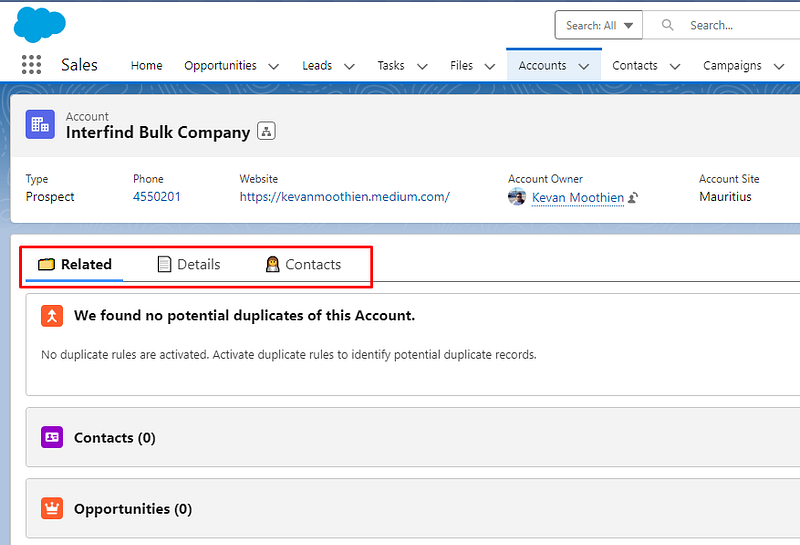
Add Emoji in Tabs Label on Salesforce Lightning Page
Creating a visually appealing interface is essential for a better user experience in any application. Salesforce Lightning App Builder provides a user-friendly platform to create and customize your apps with ease. Adding icons next to the tabs’ labels within your components can make navigation more intuitive and visually appealing.
Do you want to achieve the above? Follow the steps below:
To customize the labels and add icons, you must be an administrator of the Salesforce organization. Also, you need to have access to emojis on your machine. If you don’t know how to get emojis on your machine, you can quickly go to https://emojipedia.org/ and search for keywords.
- Edit the Lightning page.
- Select the Tab component you wish to add icons to
- From the component properties, select a tab and choose the Custom option in the Tab Label.

4. Copy an emoji that suits you, paste it in the input, and insert your label

5. Save your Lightning Page
Tackling Salesforce puzzles one tab at a time. Follow us for solutions that illuminate the path of app building.


Leave a Reply